




The home office has permanently graduated from a temporary fix to a professional-grade workspace — and the data behind how you set it up has never been more compelling or more clear. Studies from 2025–2026 reveal that over 80% of remote workers now experience some form of musculoskeletal discomfort, with forward head posture affecting nearly 83% of desk workers. That isn’t a minor inconvenience — it’s a structural productivity problem playing out daily, silently, across millions of home offices worldwide. The good news is that the fixes are well-established, practical, and largely affordable. Here’s how to build a workspace that actively supports your body and your output rather than quietly working against both.
Start With Your Chair — Everything Else Calibrates From It
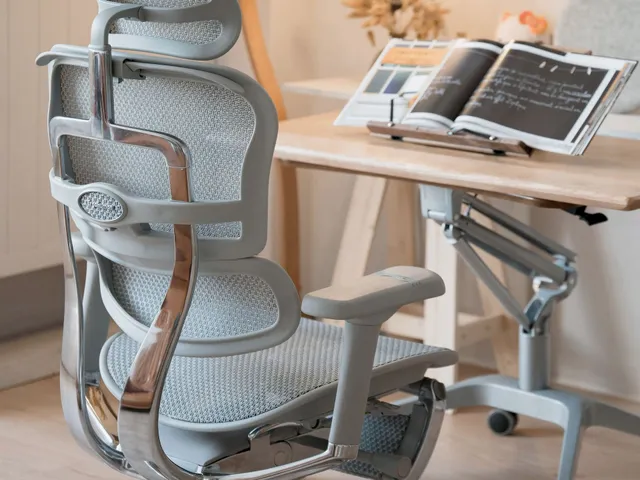
The chair is the foundation of any ergonomic setup, and it’s the one element that most directly determines whether the rest of your configuration works. Adjust the height so your feet rest flat on the floor and your thighs are roughly parallel to it. Your lower back should press gently against lumbar support — if your chair lacks it, a small cushion or rolled towel works fine. Set your armrests so your elbows bend at about 90 degrees and your forearms rest lightly without lifting your shoulders. If adjusting for elbow height pushes the chair seat too high for your feet to reach the floor comfortably, add a footrest rather than compromising one position for the other.
Get Your Desk Height Right
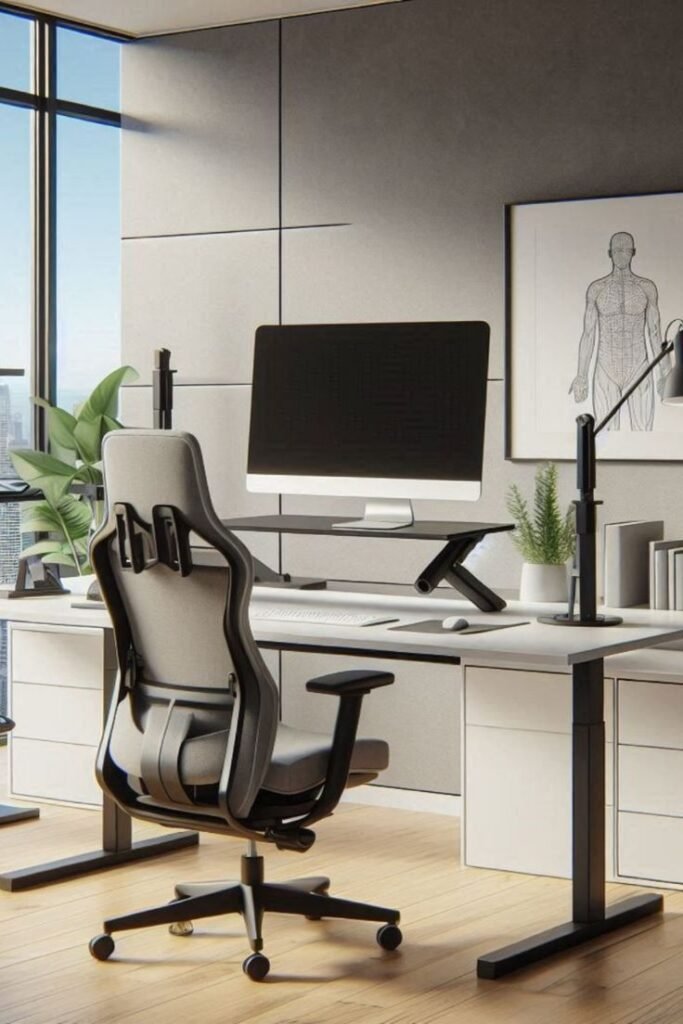
Once the chair is calibrated, the desk height follows logically. The correct desk surface height is one where your elbows rest at approximately 90 degrees when your forearms are parallel to the floor — meaning the keyboard and mouse sit at elbow level, not above it. In 2026, sit-stand desks are standard, and the way they are used has evolved: the 30/30 rule — switching between sitting and standing every 30 minutes using programmable memory presets — is now the recommended approach for managing spinal compression and sustaining afternoon energy levels. A height-adjustable desk isn’t a luxury in 2026; it’s the most evidence-backed piece of furniture in a productive home office.
Monitor Position Is a Non-Negotiable
Screen placement is where the majority of neck and upper back strain originates, and it’s also one of the easiest elements to correct. The top third of your monitor should sit at eye level to prevent the forward neck lean commonly called “tech neck,” and the screen should be kept roughly 20 to 30 inches from your eyes — approximately arm’s length. If you’re working on a laptop without an external monitor, you’re almost certainly looking downward all day, which compounds posture problems significantly over time. A monitor arm or laptop riser paired with an external keyboard solves this at modest cost and immediate impact.
Lighting Shapes Focus More Than You Think
Set your screen brightness to match the ambient light level in the room rather than running it at maximum. In the evening, reduce your screen’s colour temperature toward warmer tones — blue-dominant screen light suppresses melatonin production and affects sleep quality. Most operating systems include a night mode setting that handles this automatically after sunset. Natural light positioned to the side of your monitor rather than directly behind or in front of it eliminates glare without sacrificing brightness. Lighting is one of the lowest-cost, highest-impact changes available to any home office setup.
Movement Is Part of the Equation, Not Optional
Even a perfectly calibrated setup cannot compensate for sustained static posture over a full working day. Standing or moving for at least five minutes every hour reduces spinal compression, improves circulation, and maintains afternoon focus. This is the ergonomic element most people skip — they invest in the furniture and then sit still for six hours, which undermines the setup entirely. Brief, deliberate movement breaks are as important as any piece of equipment in the room.
The Return on the Investment
The financial case for ergonomics is no longer soft. Studies show that ergonomic interventions can reduce absenteeism by up to 67% and increase productivity by 15%, generating between three and six dollars in cost savings for every dollar invested. A 2025 analysis of a 100-employee remote team found that an $800 per person investment in ergonomic equipment delivered full return within 8 to 14 months through reduced absenteeism and increased productivity. For an individual home office worker, the calculation is even more direct — a well-configured workspace means more focused hours, less physical discomfort, and better long-term health outcomes.
An ergonomic home office is not a single purchase. It’s a calibrated system — chair, desk, monitor, lighting, and movement habit working together. Get all five aligned, and the difference in how you feel and perform by the end of a working day is not subtle.