
Video content has become the backbone of digital marketing, social media, and online storytelling. But not everyone has the time—or skills—to learn complex video editing software. That’s where InVideo comes in, offering a fast, intuitive, and powerful way to create stunning videos without any prior experience.
Whether you’re a content creator, marketer, or small business owner, InVideo makes video production simple, affordable, and incredibly effective.
What is InVideo?
InVideo is a cloud-based video creation platform that allows users to produce high-quality videos using pre-built templates, AI tools, and an easy drag-and-drop editor. It’s designed for beginners and professionals alike, helping users turn ideas into engaging videos within minutes.
From promotional videos and YouTube content to Instagram reels and ads, InVideo supports a wide range of video formats and use cases.
Key Features of InVideo
1. Thousands of Ready-Made Templates
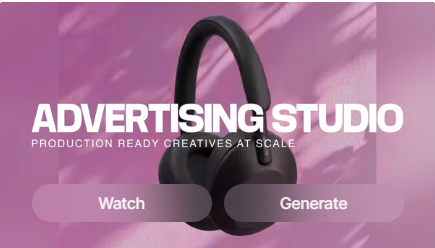
InVideo offers 5,000+ customizable templates tailored for different industries and platforms. Whether you need a business promo or a social media post, there’s a template ready to go.
2. AI-Powered Video Creation
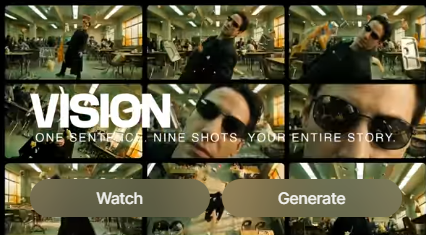
With AI features, you can turn text into videos automatically. Just input your script, and InVideo generates scenes, visuals, and voiceovers—saving hours of manual work.
3. User-Friendly Drag-and-Drop Editor
No technical skills? No problem. The intuitive editor lets you easily add text, images, clips, and effects with simple controls.
4. Massive Media Library
Access millions of stock videos, images, and music tracks to enhance your content without needing external resources.
5. Voiceovers & Text-to-Speech
InVideo includes built-in voiceover tools and AI-generated narration, making it easy to create professional-sounding videos.
6. Collaboration Tools
Teams can collaborate in real time, making it ideal for agencies and businesses managing multiple projects.
Pros and Cons

Pros
- Extremely beginner-friendly
- AI tools speed up video creation
- Huge template and media library
- Cloud-based (no downloads required)
- Affordable pricing options
Cons
- Limited advanced editing features compared to pro tools
- Internet connection required
- Free plan includes watermarks
Who Should Use InVideo?
InVideo is perfect for:
- Content creators making YouTube or social media videos
- Digital marketers creating ads and promotional content
- Small businesses looking to boost online presence
- Students and beginners learning video editing
- Agencies needing quick turnaround content
Why Choose InVideo?
InVideo stands out because it removes the complexity of video editing while still delivering professional-quality results. Unlike traditional software that takes weeks to master, InVideo allows you to start creating immediately.
Its AI-powered tools and template-based workflow make it one of the fastest ways to produce engaging videos at scale.
Use Cases of InVideo
- Social media videos (Instagram, TikTok, Facebook)
- YouTube intros and explainer videos
- Product promotions and ads
- Educational and tutorial videos
- Business presentations