



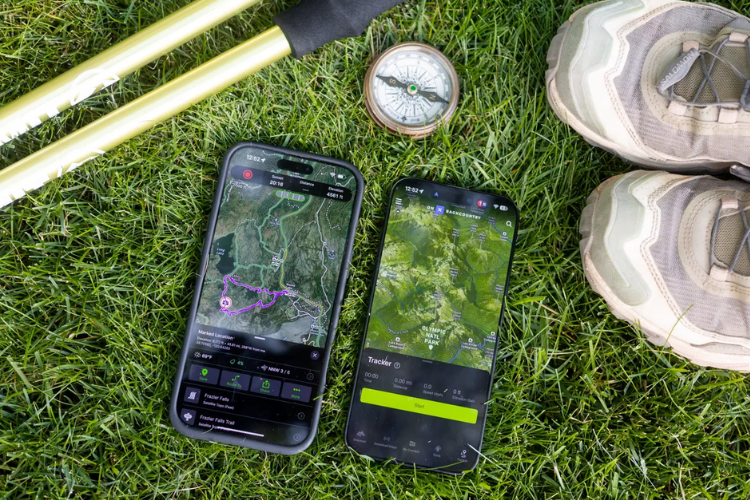
Technology has transformed the way we explore the outdoors. Today, hiking is not just about maps and compasses—it’s also about smart apps, GPS tracking, and digital planning tools. At Hike Insights, understanding the right hiking software can help you plan better, stay safe, and enhance your overall trail experience.
Whether you’re a beginner or an experienced trekker, here are the best hiking apps and software tools you should consider in 2026.
Why Hiking Software Matters
Modern hiking apps do more than just show directions. They provide real-time insights, safety features, and route planning tools.
Benefits of using hiking software:
- Accurate navigation and trail maps
- Offline access in remote areas
- Route planning and tracking
- Weather updates and alerts
- Safety features like location sharing
These tools make hiking more accessible and secure for everyone.
Top Hiking Apps You Should Try
1. AllTrails

One of the most popular hiking apps worldwide, AllTrails offers a vast database of trails with reviews, photos, and difficulty levels.
Key features:
- Detailed trail maps
- Offline navigation
- Community reviews
- Route recording
Best for beginners and casual hikers.
2. Komoot
Komoot is ideal for planning detailed outdoor adventures, including hiking and cycling.
Key features:
- Turn-by-turn voice navigation
- Custom route planning
- Terrain-specific recommendations
Perfect for those who like structured planning.
3. Gaia GPS
Gaia GPS is a powerful tool for serious hikers and backcountry explorers.
Key features:
- Advanced topographic maps
- Offline access
- GPS tracking
Great for remote and challenging trails.
4. Outdooractive
This app provides curated routes and travel guides for outdoor activities.
Key features:
- Verified trail information
- Travel planning tools
- Community recommendations
Ideal for discovering new hiking destinations.
5. Google Maps
While not specifically built for hiking, Google Maps can still be useful for basic navigation and locating trailheads.
Best use:
- Finding starting points
- Checking nearby facilities
- Quick navigation support
Key Features to Look for in Hiking Software
Not all apps are created equal. When choosing a hiking app, look for these essential features:
Offline Functionality
Critical for areas with no network coverage.
GPS Tracking
Helps monitor your route and avoid getting lost.
Trail Details
Distance, elevation, and difficulty level are important for planning.
Safety Features
Emergency alerts and location sharing can be lifesaving.
User Reviews
Real experiences help you choose the best trails.
Free vs Paid Hiking Apps
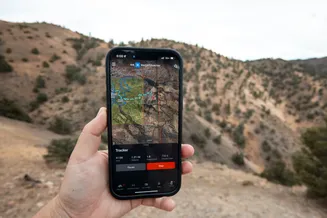
Many hiking apps offer both free and premium versions.
Free Versions
- Basic maps and navigation
- Limited offline access
Paid Versions
- Advanced mapping tools
- Full offline downloads
- Enhanced safety features
If you hike frequently, investing in a premium plan can be worth it.
Tips for Using Hiking Software Effectively
- Download maps before starting your hike
- Carry a power bank for your device
- Don’t rely solely on digital tools—carry a backup map
- Learn how to use the app before your trip
- Keep GPS on only when needed to save battery
Technology is helpful, but preparation is still key.
Common Mistakes to Avoid
- Starting a hike without offline maps
- Ignoring battery limitations
- Over-relying on apps without basic navigation skills
- Not updating apps or maps
- Choosing overly complex tools as a beginner
Balancing technology with traditional knowledge is essential.
The Future of Hiking Software
Hiking apps are becoming more advanced every year.
Emerging trends include:
- AI-powered trail recommendations
- Augmented reality navigation
- Real-time hazard alerts
- Integration with wearable devices
The future promises safer and more personalized hiking experiences.